Distinct IDs
A Distinct ID is a unique identifier assigned to a user, either anonymously or when they log in. This allows you to associate actions (page views, clicks, conversions) with a single user across multiple sessions. For a more extensive way to attach user traits, take a look at User Traits and Properties.
Use Cases
- Properly attribute user behavior.
- Connect events across multiple sessions or devices.
- Identify repeat users vs. new users.
- Build out journeys and profiles based on user history.
Usage
You can set a Distinct ID using either the HTML script tag or the JavaScript/TypeScript SDK:
HTML Script Tag (<script>)
// Identify with user ID
window.vision.identify("usr_12345");

// Identify with user ID and custom traits
window.vision.identify("usr_12345", {
  email: "alex@example.com",
  plan: "pro",
});
JavaScript / TypeScript SDK (@vision/browser)
import { identify } from "@vision/browser";

// Identify with user ID and traits
identify("usr_12345", {
  email: "alex@example.com",
  plan: "pro",
});
Direct HTTP API
You can also pass the id property in the event payload when using the Sending stats endpoint:
{
  "payload": {
    "hostname": "your-hostname",
    "language": "en-US",
    "referrer": "",
    "screen": "1920x1080",
    "title": "dashboard",
    "url": "/",
    "project": "your-project-id",
    "id": "usr_12345"
  },
  "type": "event"
}
The id property has a 50 character limit. If your identifiers are longer, consider using a hash or shortened version.
Resetting Identity on Logout (reset)
[!IMPORTANT] We strongly recommend calling
reset()whenever a user logs out.
Vision persists the user's Distinct ID in browserlocalStorage. Ifreset()is not called upon logout, subsequent activity on a shared computer or browser will continue to be attributed to the previously logged-in user.
HTML Script Tag (<script>)
// Call when the user signs out
window.vision.reset();
JavaScript / TypeScript SDK (@vision/browser)
import { reset } from "@vision/browser";

// Call when the user signs out
reset();
Calling reset() immediately:
- Clears the persisted identity and traits from
localStorage. - Generates a fresh, anonymous visitor ID for subsequent navigation and events.
- Ensures complete data isolation between different user accounts.
For full details on anonymous visitor stitching and identity lifecycle, see Autocapture & Identity.
Search
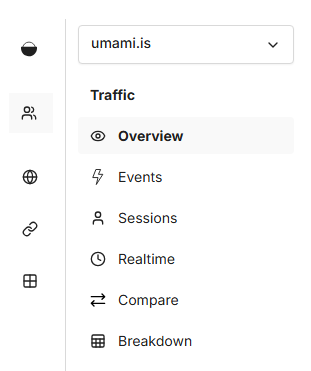
Navigate to Sessions to view visitor activity.
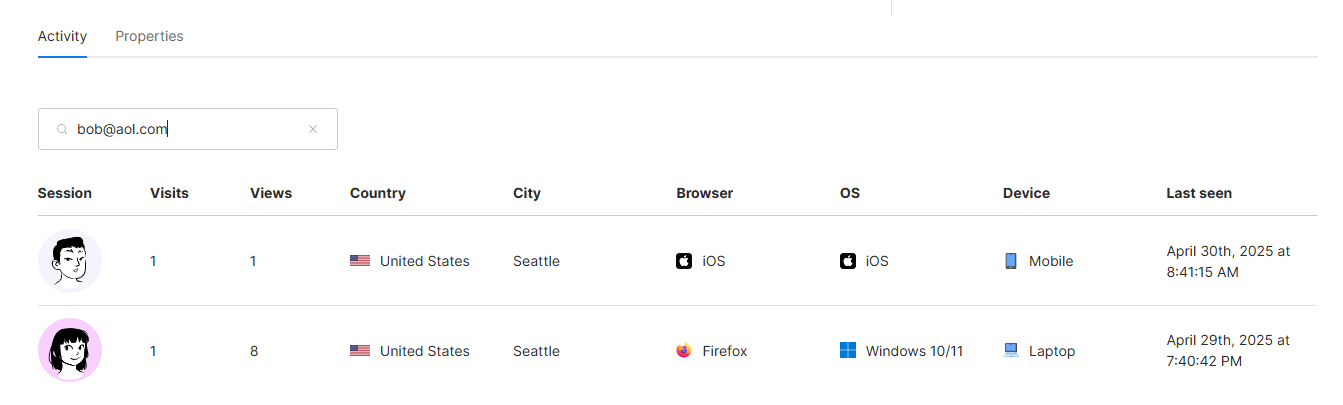
Search for a specific Distinct ID to view all connected sessions for that time range.